Kartina TV USA Channel Recordings
Recording TV programs, movies, and entertainment shows on external devices using a timer is a thing of the past. With Kartina TV, watching your favorite content has become much easier. There's no need to deal with complicated equipment settings or manual recordings — we take care of everything for you. With the Kartina TV Timeshift feature, you can watch TV programs broadcast over the past two weeks whenever you want!
You'll always have access to recordings of Russian-language TV channels from the previous 14 days. The TV Archive feature works on all Kartina TV set-top boxes, as well as PC applications and mobile devices running Android and iOS.
Kartina TV Channels with Archived Recordings
Using the Kartina TV USA Archive is incredibly simple! Just select the channel you want to watch, open the TV guide, choose a date, and select your favorite program. During playback, you can pause, rewind, or fast-forward the recording. Programs available in the archive are marked with the letter "R" (Record).
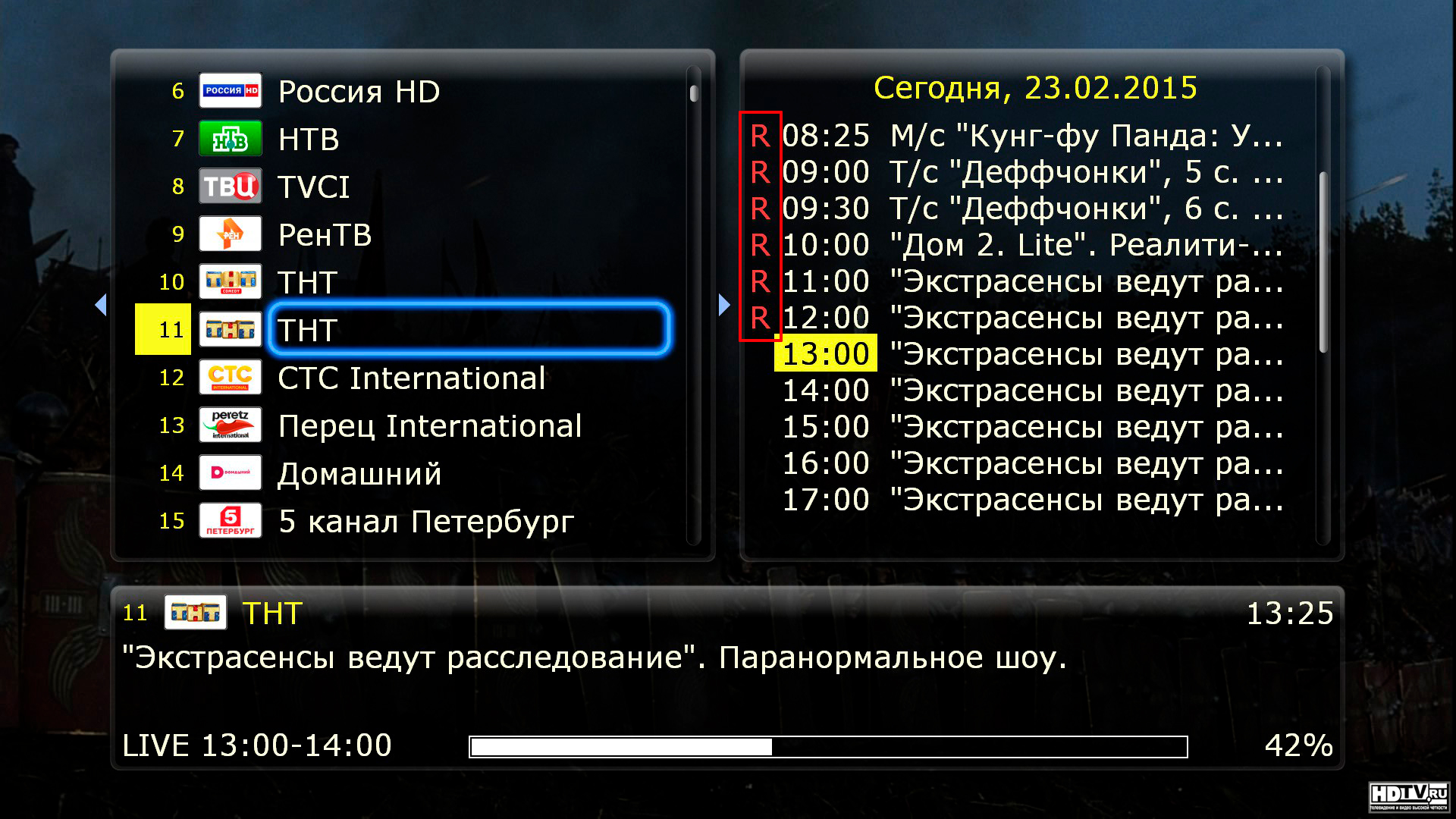
Instead of browsing through every recorded program, you can use the archive search feature to quickly find what you're looking for. The search function is intuitive and works similarly on most set-top boxes. However, on the new Kartina X receiver, which is expected to become available soon, the process is slightly different. Select a TV channel and press the "D" button on your remote control. A list of available TV series, movies, and programs will appear on the screen, making it easier to find the content you want to watch.
Important: The archive search feature is available only on set-top boxes manufactured by Dune HD.