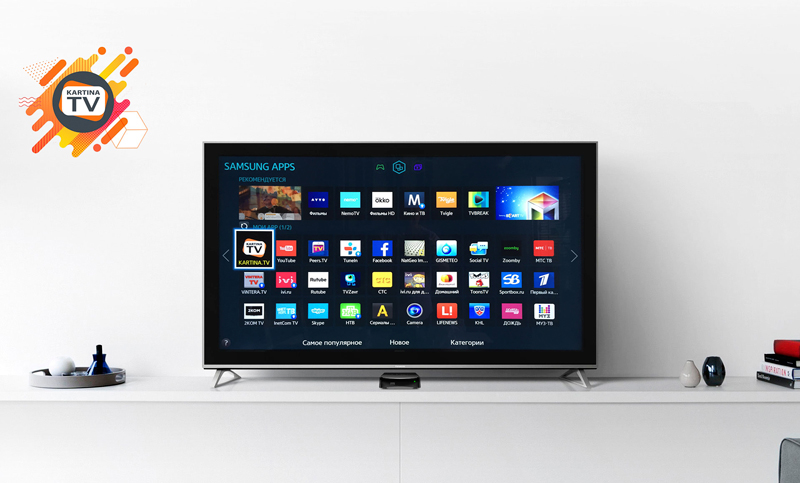
Kartina TV на Samsung Smart TV
Update from January 14, 2019
Dear viewers, a new version (1.0.9) of the Kartina TV app for Samsung TV has been released.
The update is available for the following model groups:
- 15TV_PREMIUM, 15TV_STANDARD1, 15TV_STANDARD2
- 16TV_STANDARD1
- 17TV_PREMIUM, 17TV_STANDARD
- 18TV_PREMIUM, 18TV_STANDARD1, 18TV_STANDARD2, 18TV_STANDARD3
Models 16TV_PREMIUM and 16TV_STANDARD2 have not yet been tested.
Samsung TVs in the 17AV_BD model group support only version 1.0.8.
Bug Fixes in Version 1.0.9
- Fixed player freezing and issues with returning to the menu after a live TV program ends.
- Fixed the detection of selected options when rewinding programs in the Kartina TV USA archive.
- Updated the date format.
- Fixed the display of the active subscription's expiration date.
- Fixed incorrect TV program titles appearing when the television had been running for an extended period.
- Resolved an issue with skipping between programs of the same duration.
Update from January 12, 2018
The Kartina TV app for Samsung Smart TV is finally available for installation through Samsung Apps! At the time of this update, the application works only on Samsung TV models released in 2015 and media players released in 2017, including the following model groups:
- 15TV_PREMIUM
- 15TV_STANDARD1
- 15TV_STANDARD2
- 17AV_BD
Support for other model groups released after 2015 is currently under development and testing.
Please note that the application has regional restrictions and does not work in Russia or countries of the former CIS. The application may also contain minor bugs that are expected to be fixed in future updates.
For more detailed information about Samsung TV model groups, please visit Samsung Developer.
Update from October 5, 2017
We are planning to release the Kartina TV app for Samsung Smart TV by the end of autumn. The application will be available directly from the Samsung App Store.
Stay tuned!
Best regards,
Kartina TV Brooklyn
You can also watch your favorite Kartina TV USA channels on Samsung Smart TV using an unofficial third-party application. Please note that you use this application at your own risk. We are not responsible for its performance or any possible consequences of its use. If you still decide to install it, you can do so by following the instructions below.
Quick Installation Guide
- Press the Smart button on your remote control.
- Press the "A" button.
- Manually enter the Samsung account username: develop.
- Enter the password: 123456. Check the boxes for "Sign me in automatically" and "Remember my password."
- Select "Login" and press Enter. A green icon and the username "develop" should appear in the lower-left corner of the screen.
- Press the Tools button.
- Go to "Settings" and select "Development."
- Read and accept the license agreement.
- Select "Setting Server IP."
- Using the on-screen keyboard, manually enter the IP address: 185.28.46.2.
- Press Enter.
- Select "User Application Synchronization."
- Wait for the Kartina TV application installation to finish.
- Once the installation is complete, select "Complete."
- Press Exit twice to leave the menu.
- Press the Smart button again and select the Kartina TV app.
Alternative Installation Method
- Download the application archive and extract its contents to a USB flash drive.
- Connect the USB flash drive to your Samsung Smart TV and restart the television by turning it off and on again.
- Open Smart Hub, where you should see the installed application.
Please note: This is an unofficial installation method. We are not responsible for streaming quality, application performance, or any technical issues that may occur. We also do not provide installation, configuration, or technical support for this unofficial Kartina TV application on Samsung Smart TVs.
How to Get Free Kartina TV Access for 3 Days
To receive a free three-day Kartina TV trial subscription, submit a request through our Contact Us page. Be sure to include your mobile phone number, where the login credentials for your Kartina TV trial subscription will be sent during our store's business hours.
Please note that free three-day Kartina TV trial subscriptions are available only for US phone numbers and can be requested only once.